
[INTENT ISSUE] Can You Connect Two Motion Sensors to One Light?
Motion sensors cover a specific area that you pointed at them. Otherwise, motion sensors would be triggering all time. But it is a very common scene when you have one light and need to activate this light. So, the question is obvious if you want to connect two motion sensors to one light, is it possible or not?
You can connect two motion sensors to one light. Otherwise, the two sensors must be triggered for your light to work. If you connect the sensors to your light separately in a parallel circuit, the sensors will work independently.
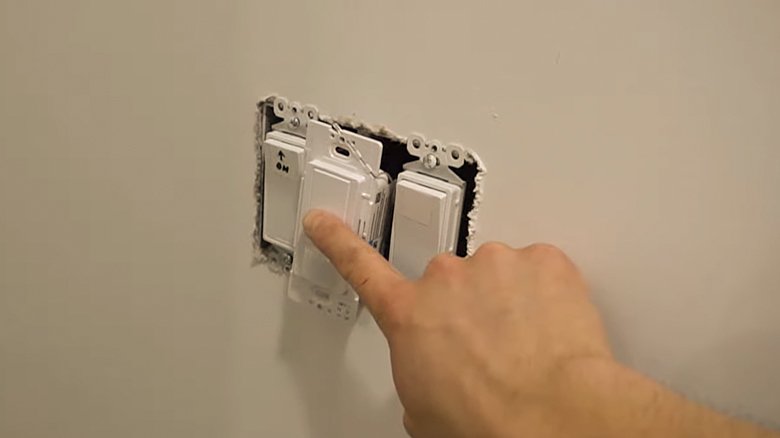
What Is The Best Way to Connect Two Motion Sensors to One Light?
You can connect your two motion sensors to one light, which is useful. For your indoor sensors, this process will be better to use staircase lighting attached to your motion sensor at the top and bottom of the stairs because the lights switch on if you approach them from the floor.
Contrary, you can prefer connecting all your lights to motion sensors covering the front side and rear of the home for the outside. Moreover, you can have more coverage without requiring double-up on lighting but just multiple sensors with the outdoor lights to deter potential intruders. So, having as many sensors as you want on a circuit is possible. Furthermore, it would be better for your outdoor lights when you want to cover many directions, and you own an expensive garden.
Again, connecting motion sensors to light is the best option for security, a way to be hospitable to unexpected guests. Moreover, this process will brighten up the approach to the house if your intruders or guests come in range.
However, the motion sensors are nothing more than stylish light switches. You can have four components of a motion sensor such as a timer, an override function, a motion-sensing device, and a photocell.
Here, you can start the timer if the motion sensor activates. Furthermore, you can turn on the override function with a conventional switch. Again, you also can allow the override function to deactivate the sensor and ensure your light won’t be lit. Contrary, the photocell can deactivate your switch during daylight hours.
But you must follow some steps to connect your monitors to one light. So, here are the steps; I’m going to share three effective steps with you.
Step 1. Choose the Appropriate Sensor Monitor:
Motion sensors play different roles and work in several ways because some motion sensors also work with photocells and lights. On the contrary, some monitor sensors become miniature radar systems and send ultrasonic signals. Conversely, some motion sensors can detect the temperature coming off a human body.
However, each of the motion sensors has pitfalls and benefits. So, you need to check out the types of motion sensors and then choose which type is best for your intention. Though all these sensors fit with incandescent lights, some are incompatible with fluorescent light fixtures. So, it is crucial to check and be sure about the compatibility of the sensors if you are going to operate them for your fluorescent lights.
Step 2. Setup the Light and your Sensors:
It is very simple to set up any system. It would help if you mounted your motion sensors so that they can cover the areas you want to detect activity and motion. However, the power for your system can come from tapping into an existing electrical circuit. Contrary, it can come from the electrical panel also.
However, the electricity routes through a conventional switch from the power source. Again, you can use the electricity to override your motion switches manually. Now you must route a wire to your motion sensors from the conventional switch. However, you require a wire to run your light fixture from each motion sensor. You can consult the installation diagram with your sensors or an electrician to ensure you have hooked up the sensors thoroughly.
Step 3. Adjust the light and Motion Sensors Perfectly:
Now, it is time to adjust your light and the motion sensors perfectly. So, you can wait until dark or cover the photocell reporter so that the motion sensors think it is dark. After that, you need to test and adjust the motion sensors’ goals and sensitivity so that they can work as you desire.
However, each sensor’s timer is individual from the other. So, when you activate both sensors, the timer on whichever you activated your motion sensor last will control how long your light can stay lit.
Frequently Asked Questions
Can Motion Sensors Interfere with Each Other?
The motion sensors can sometimes interfere with each other but only sometimes. However, the systems cannot completely cancel each other out. Moreover, many people use the systems together. Remember that an infrared motion detector can look at changes in infrared light across a scene.
Where Should I Not Place a Motion Sensor?
Motion sensors use infrared beams for getting high-temperature detection. So, it will be better to avoid putting a motion sensor in non-climate-controlled spaces that can heat up. So, it would be best if you did not place the motion sensors in patios or garages. Sunrooms and attics.
How Far Can My Motion Sensor Reach?
It is important to know how far your sensors can reach. However, you can install your motion sensors 100 feet from the Home Base. Again, the following criteria can determine the real range allowed between your motion sensors and the Home Base.
Conclusion
When you use motion sensor lights, they save your electricity compared to leaving the light switched on for a long time. Additionally, motion sensors can use minimal power. Specifically, they use, on average only 0.1 watts when you don’t trigger them. So, you can save more money, especially with LED lights.
However, it is possible to keep a motion sensor constantly by connecting it with a double switch set up to bypass the sensor in only one position. Again, you can keep your motion sensors by wiring them with a three-position switch to bypass your sensor in just one position. On the contrary, when you rapidly switch your sensor off and on, most sensors can keep a light on.
