
[FIP] What to Do When LED Lights Are Different Colors?
LED lights are one of the many amazing energy-saving ways of adding colors and dynamics to a garden or home. However, LED stands for Light Emitting Diodes. Besides, LED lights differ from other lighting sources, including Compact Fluorescent Lighting or incandescent light. However, the most commonly used LED colors are yellow, red, green, white, blue, and amber.
Additionally, you can say LEDs are more budget-friendly and efficient light sources that even last longer. But sometimes, your LED lights are different colors. There can be various reasons behind this issue. So, when you face this problem, don’t worry and try to fix it immediately. If you don’t know what to do when LED lights are different colors, keep reading this article because I’ll give you the perfect suggestion in this article.
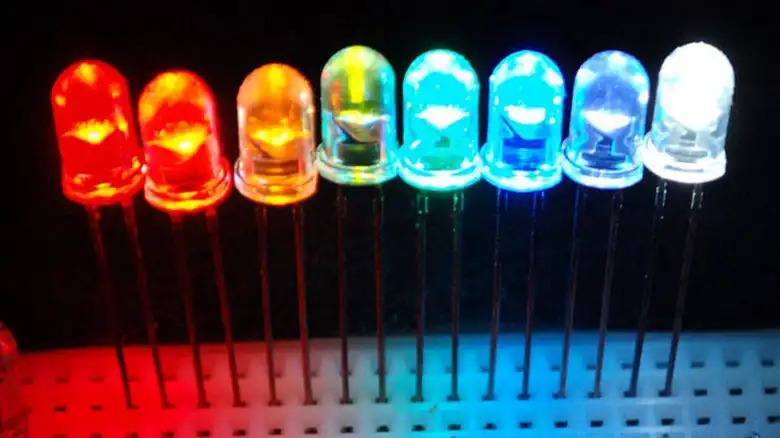
How Do I Handle When LED Lights are Different Colors?
Knowing the probable causes of LED lights showing different colors is essential. Then you will be able to solve the problem quickly. However, LED lights can lose their color vacancy or temperature for several reasons, and your LED starts to show different colors. Among various reasons, the most common causes are subpar quality light and a combination of overheating.
Since LED lights require enough voltage to work, if the bulbs get overheated and reflect in color changes, the power supply might be the issue. Moreover, if you purchase poor-quality LEDs, then this issue can arise.
On the other hand, if you paint the circuit, the LED will show different colors. On the contrary, if there is insufficient air ventilation around the lighting setup, LED lights cannot match the color. Sometimes this problem relay on how you wire your LEDs. Furthermore, poor soldering and wrong connections can even be the reason for the LED lights to show different colors.
There are three simple and easy methods to fix your LED lights rapidly.
Method 1: Resetting Your LED Lights
Though this method might sound way too easy ever work, you would be amazed at the power of this amazing reset. Even this method works so often. Again, it works on different devices that IT experts often joke that they would be resigned from their job if people did apply this before calling in for help.
However, to apply this method, you must reset the LED lights and the controller. It brings everything back to the original settings of the LED lights before they leave the manufacturing factory.
Changes will make to the settings that cause the LED lights to malfunction over time. So, if you want to wipe out those changes and save the lights from any bugs that can have crept over time, you need to reset the LEDs. Moreover, resetting is the simplest way to fix the LED.
Method 2: Check the Plug Correctly
The previous method will have worked for most people. But if it hasn’t worked for you, then don’t worry. Here is another method to check off your list.
Since it is the most common cause for LEDs to show different colors when you don’t plug the light correctly, this method is relatively simple. So, to begin the method, you must be sure that the black wire on the RGB strip connector is on the same side as your +12V. Then, lines up right at the + end of the connector with the positive side of the strip. However, it is important to connect the R, G, and B wires perfectly.
Besides, this problem is a pain, and users report that their wires have been mislabeled at some points. But when this problem arises, you need to mess around with your cables until you figure out the magic combination to get everything working as this should.
Method 3: Replace Your LED Strip or Controller
If the methods I mentioned above don’t work perfectly, you need to depend on this method. However, if there are no options, then the best way remaining for you is to replace the LED strip or controller. Sometimes you need to replace LED strips and the controller both.
Frequently Asked Questions
How Can I Fix My Discolored LED Light Strips?
It is very easy to fix the LED strips when they are discolored. If this issue arises, it is because of overheating. The solution is you must not expose the LED strips to too much heat. On the other hand, having a good ventilation system is crucial to cool air inside the lighting setup. Then there will not be any chance of overheating, and the LED light strips will not change colors.
Why Are LED Lights Green When Turned Off?
There are several reasons the LED lights turn green when you turn them off. The most probable reasons are a bad transistor or a solid-state relay inside of the lights. Moreover, it can be an electrical wiring problem that turns your LED strips green when you turn off the lights.
What Causes LED Lights Not to Turn Blue?
Sometimes your LED light may not turn blue. There might be a ventilation problem or some connection issues. On the contrary, you can suffer the problem due to battery problems. However, immediately fix the lights if you can detect the exact problem. Again, your LED light is of poor quality when you do not figure out any issues. So, replace it.
What is The Brightness of LED Light Strips?
Sometimes your LED light Strips give you different brightness. If the LED light strips show you different brightness, it is potentially because of insufficient power supply or voltage. So, ensure that there is a suitable voltage power supply so that the wire is strong enough to say and handle the voltage.
Conclusion
Though your LED lights are amazing and a relatively cost-effective option for adding character and charm to a living area, the lights are not immune from defects. So, if you have tried the first two methods and cannot fix the light, you should replace the LED light very soon.
However, if your LED light strips with 24 voltage get power at 12, it makes clear that the lights cannot get the sufficient power required. Then it will stick your LED light strips on one color only. So, make sure the 24-voltage supply matches the LED strip’s 24-voltage.
